> For the complete documentation index, see [llms.txt](https://docs.opshub.com/llms.txt). Markdown versions of documentation pages are available by appending `.md` to page URLs; this page is available as [Markdown](https://docs.opshub.com/mbse-connector-sdk-index/oim-configuration-for-mbse/behavior-for-locked-entities.md).
# Behavior For Locked Elements
## Overview
OpsHub Integration Manager (OIM) provides a configurable option to control synchronization behavior when the target system entity is currently locked by another user.
The **Behavior for Locked Entities** configurations helps user determine whether synchronization should wait till the entity is unlocked or overwrite the lock and make the updates the target entity
This configuration helps user to balance between protecting user changes and maintaining uninterrupted synchronization.
***
## How to Configure
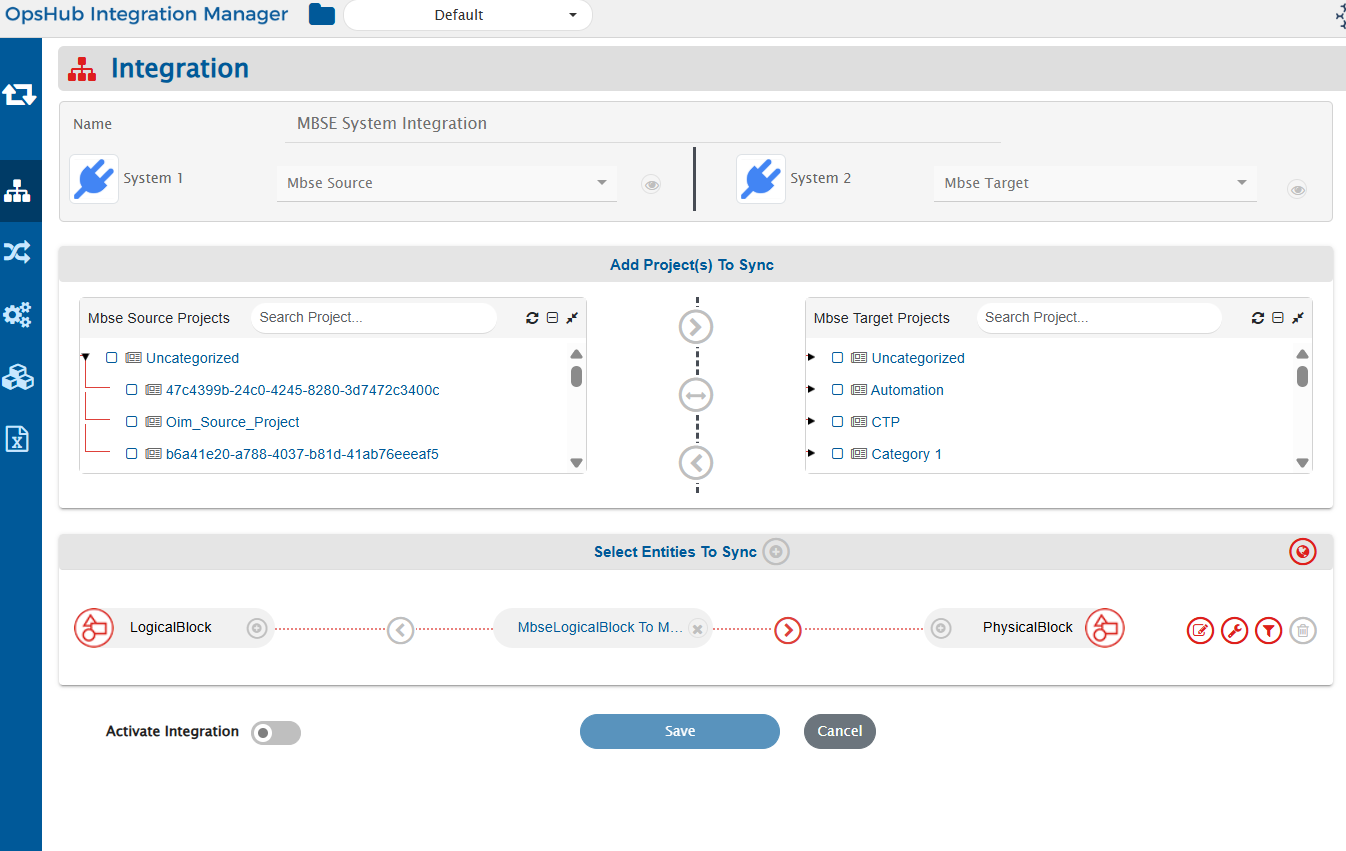
1. Navigate to the integration create/edit screen as mentioned below.
2. Click the **Global Configuration** icon.
3. In the **Global Level Advanced Configuration** section, locate **Behavior for Locked Entities**.
## Available Options
| Option | Behavior |
| ---------------------------- | --------------------------------------------------------------------------------------------------------- |
| **Create Failure (Default)** | Stops synchronization when the entity is locked by non-integration user and creates a processing failure. |
| **Sync** | Continues synchronization and updates the entity even when it is locked. |
***
### Create Failure (Default)
* OIM checks whether the entity is currently locked, by non-integration user.
* If the entity is locked by non-integration user, synchronization for that entity is stopped.
* A processing failure is generated.
* Synchronization can be retried after the entity is unlocked.
Example failure message:
```
Unable to update the element with elementId: {elementId}, as is currently locked by {john.doe} user. Please retry after the element is unlocked.
```
If multiple entities are locked, OIM displays affected element IDs and summarizes additional locked entities when applicable in the processing failure error message.
### Sync
* OIM ignores lock validation.
* Synchronization continues normally.
* Changes are written to the locked entity.
> ⚠️ **Use the Sync option carefully**
When **Sync** is selected, OIM updates entities even if another non-integration user currently holds a lock in the system.
This may result in:
* Overwriting changes actively being performed by users in the system.
* Loss of in-progress edits.
Select **Sync** only when uninterrupted synchronization is preferred over preserving active user modifications.
4. Click **Save** to apply the configuration.
---
# Agent Instructions
This documentation is published with GitBook. GitBook is the documentation platform designed so that both humans and AI agents can read, navigate, and reason over technical content effectively. Learn more at gitbook.com.
## Querying This Documentation
If you need additional information that is not directly available in this page, you can query the documentation dynamically by asking a question.
Perform an HTTP GET request on the current page URL with the `ask` query parameter, and the optional `goal` query parameter:
```
GET https://docs.opshub.com/mbse-connector-sdk-index/oim-configuration-for-mbse/behavior-for-locked-entities.md?ask=&goal=
```
`ask` is the immediate question: it should be specific, self-contained, and written in natural language.
`goal` is optional and describes the broader end goal you are ultimately trying to accomplish on behalf of the user. GitBook uses it to tailor the answer towards what is most useful for that goal.
The response will contain a direct answer to the question and relevant excerpts and sources from the documentation.
Use this mechanism when the answer is not explicitly present in the current page, you need clarification or additional context, or you want to retrieve related documentation sections.