# Reset Default Password

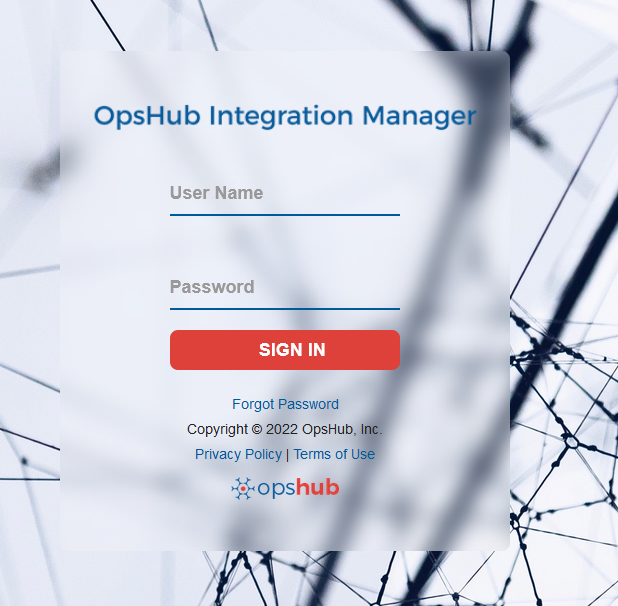
Use **admin** as User Name and **password** as Password for log-in after installation.

<div align="center"><img src="https://818964384-files.gitbook.io/~/files/v0/b/gitbook-x-prod.appspot.com/o/spaces%2FK5eA7qMDBFu0HHHMDehi%2Fuploads%2Fgit-blob-d7aeab072a12cb43c865cb1bc4aa81bf1b7c1e18%2FGetting_Started_With_Application_Image_1G_a.png?alt=media" alt=""></div>

## Changing Password

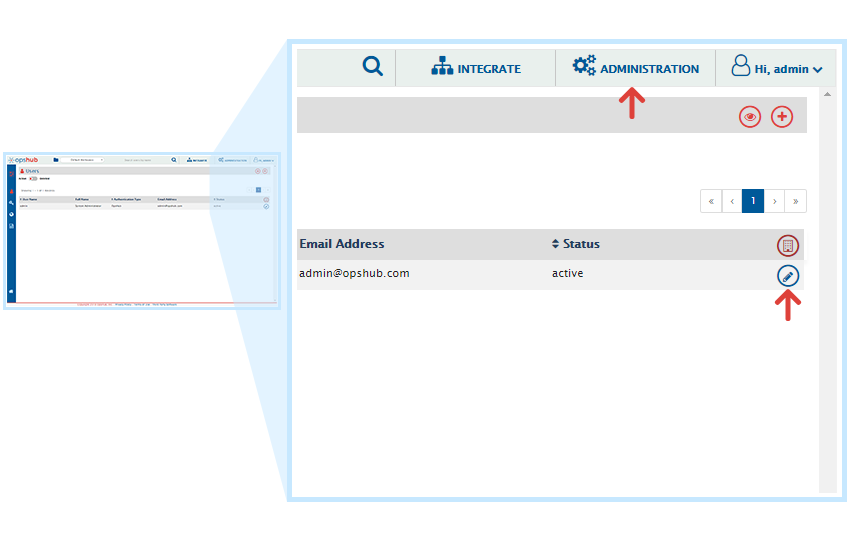
As shown below, click on the **ADMINISTRATION**. It will display the User Details with above window. Then click on Edit Icon. It will display the following window.

<div align="center"><img src="https://818964384-files.gitbook.io/~/files/v0/b/gitbook-x-prod.appspot.com/o/spaces%2FK5eA7qMDBFu0HHHMDehi%2Fuploads%2Fgit-blob-ad4137e8ebe164255724f913025d1e699301f498%2FClick_Administration.png?alt=media" alt="" width="1000"></div>

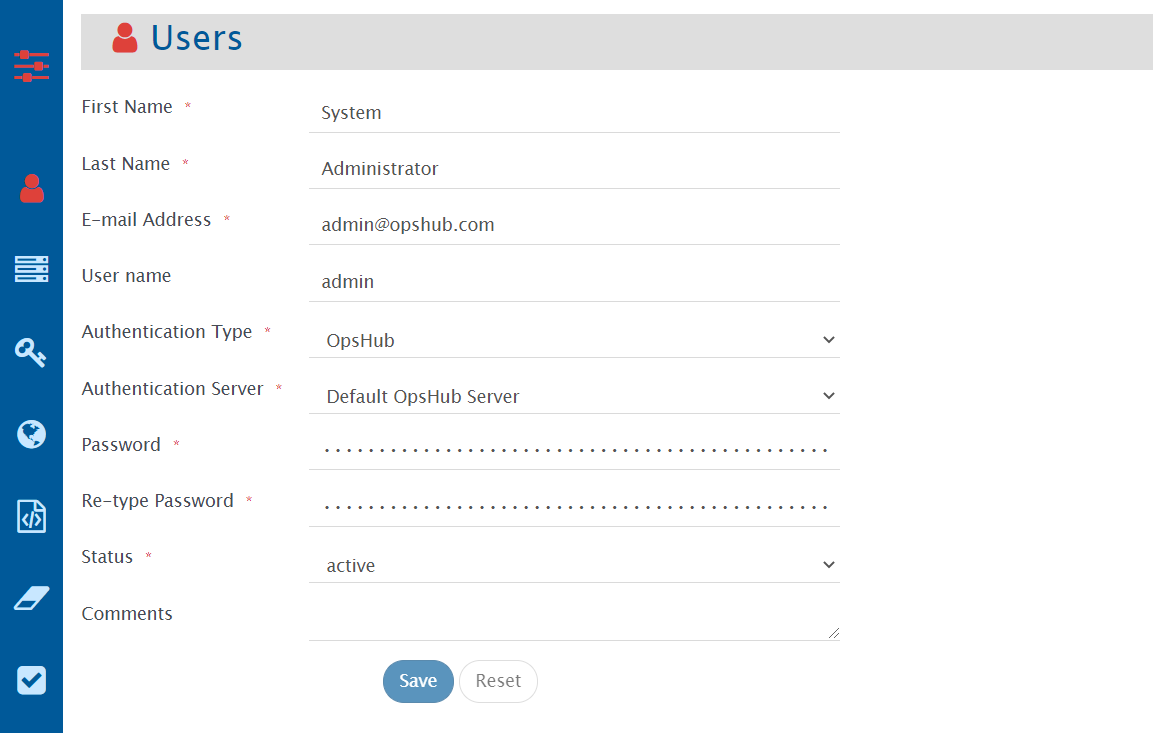
Then type your desired password in Password field and retype it in the Re-type Password field for confirmation. Then click on the Save button to save the password.
<div align="center"><img src="https://818964384-files.gitbook.io/~/files/v0/b/gitbook-x-prod.appspot.com/o/spaces%2FK5eA7qMDBFu0HHHMDehi%2Fuploads%2Fgit-blob-d6cbef915bcae18bbcc7e429adfe4debe5c2b686%2FSet_Password_a.png?alt=media" alt=""></div>