# How to identify between Custom and Default Workflows and their associated integrations?
In space.vars.SITENAME, you can view workflow categories in the UI to easily identify default workflows from custom ones.
## Steps to View Workflow Categories
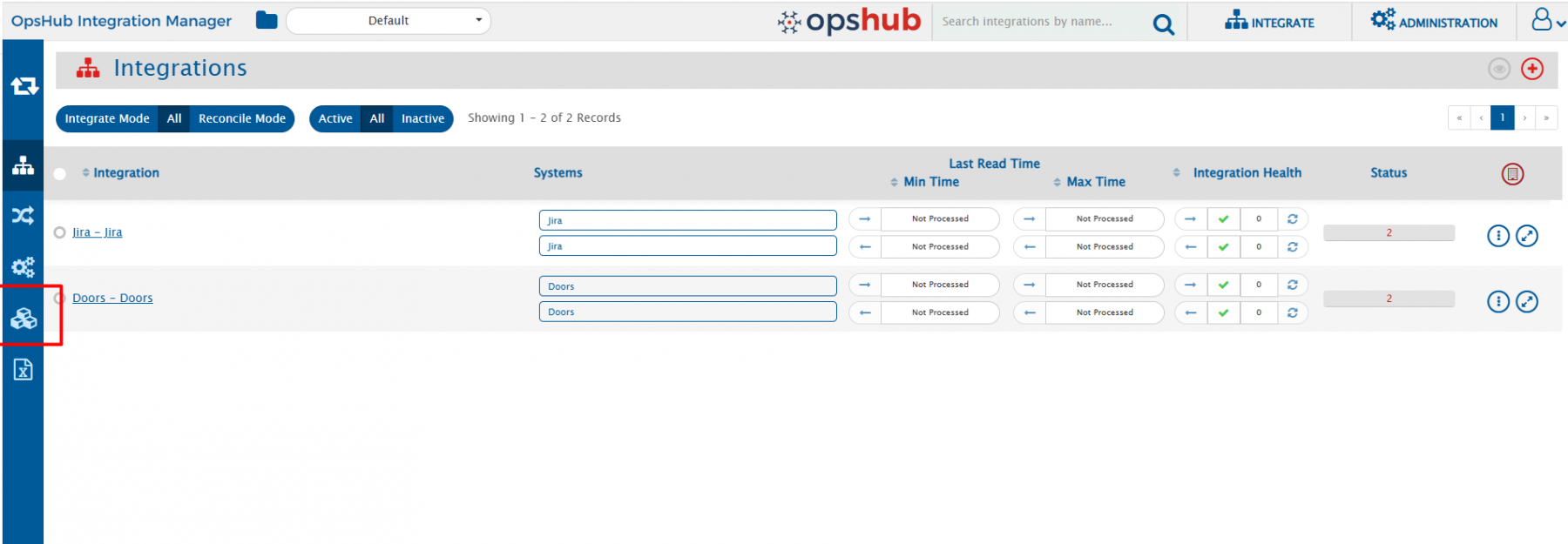
1. Navigate to the **View Integrations** Page.
2. Click on the **Configure Workflow Screen** option from the left bar.
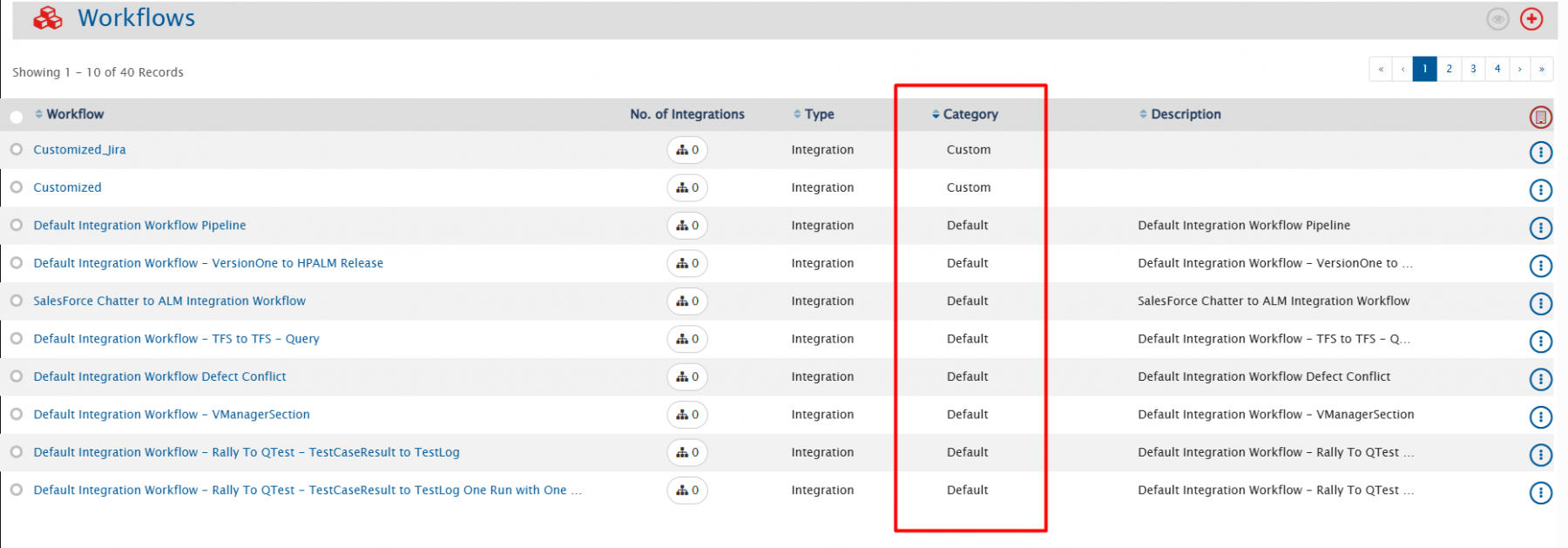
3. On the Workflow page, you can see a list of all workflows, along with associated integration details, workflow type, category, and description.\
Here, the **Category** column shows if a workflow is **Default (pre-installed)** or **Custom (user-created)**. This allows you to quickly identify the category of each workflow.
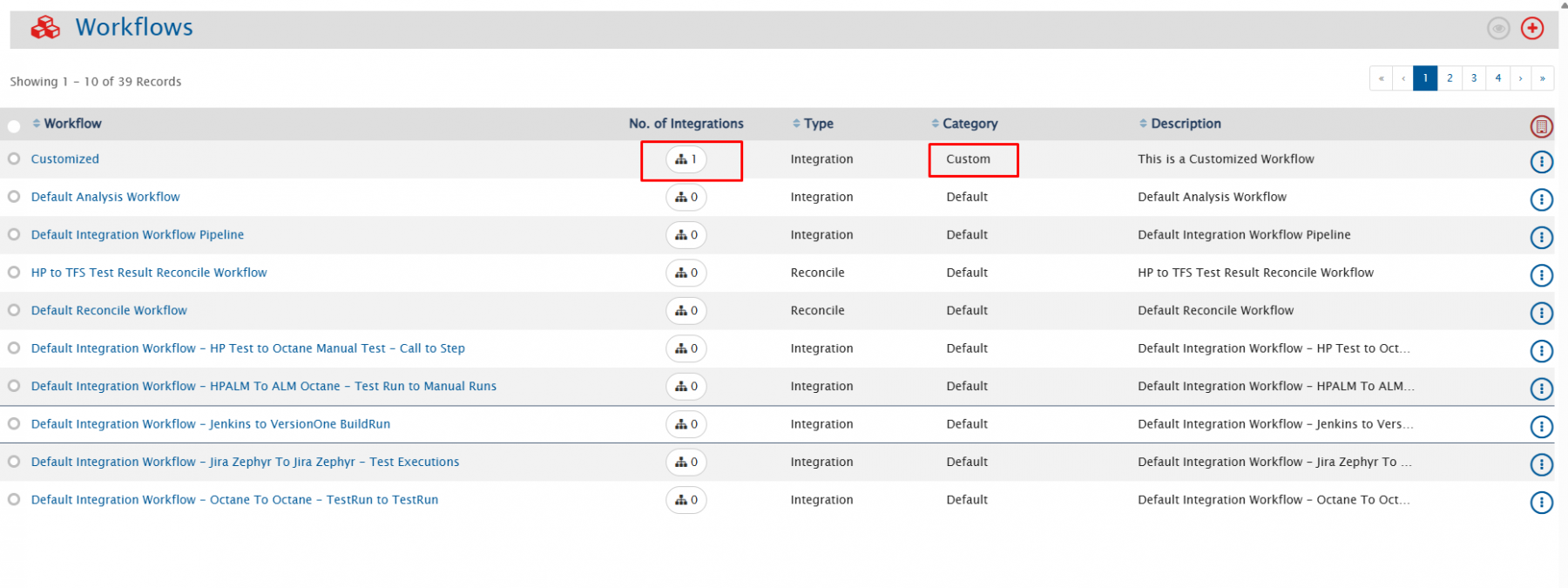
4. To view the integrations associated with a particular workflow, refer to the **No. of Integrations** column.\
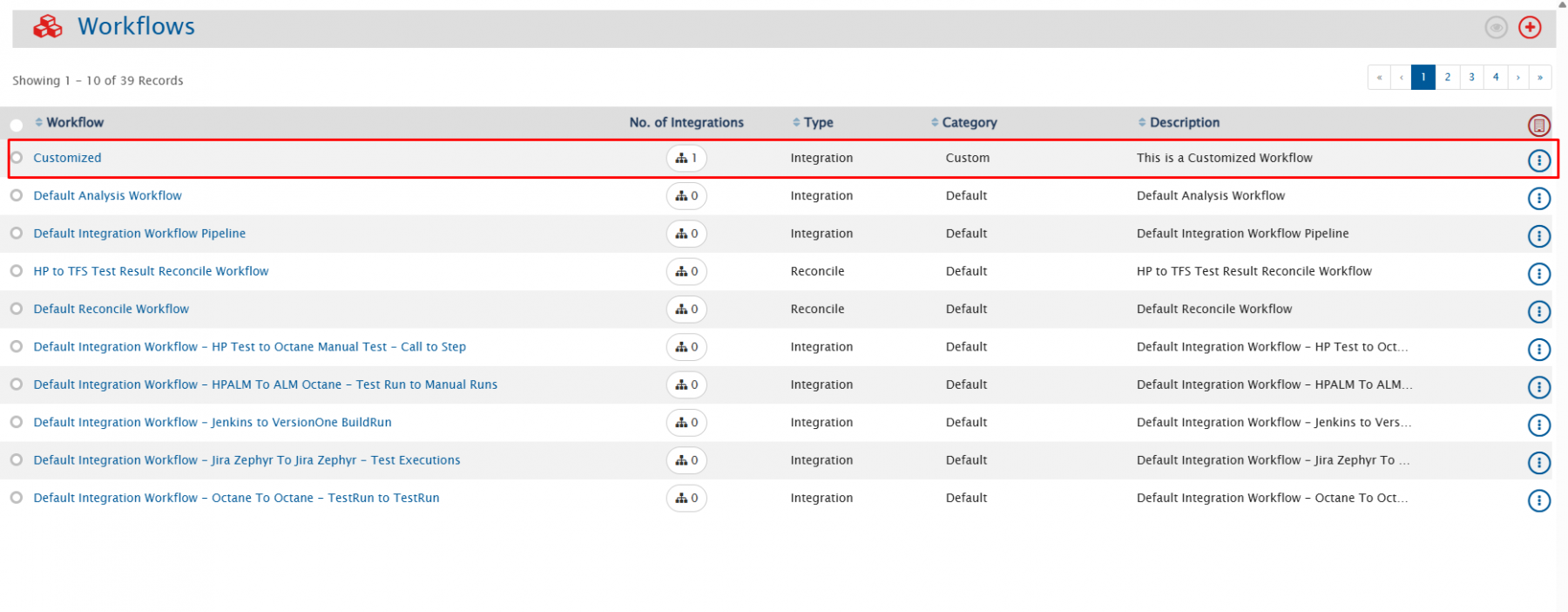
For **Customized Workflow**, click on the number under **No. of Integrations** to view the integrations linked to the customized workflow.
\* This will show the integrations associated with \*\*Customized Workflow\*\*.
* Similarly, for **Default Workflow**, click on the number under **No. of Integrations** to view the integrations linked to the default workflow.
***
This streamlined process allows for easy identification and tracking of workflow categories and their associated integrations.