# Retrieve and Configure Integration Pair Log Settings
## Description
To retrieve and modify Integration Pair Log Settings.
## Input
* Instance details:
* Instance details like space.vars.SITENAME instance URL, username and password are to be given in **instanceDetails.properties** file available within the script.
* Integration details (to be given at the time of script execution):
* Integration Group id of the entity pair for which you want to retrieve or modify the logSettings.
* Select Integration entity pair.
* Integration Log Setting details (to be given at the time of script execution):
* Select the jobMode from the available options.
* Enter 'y' to modify the Integration Log Setting configuration.
* Enter 'n' to end the execution.
* Update Integration Log Setting details (to be given at the time of script execution):
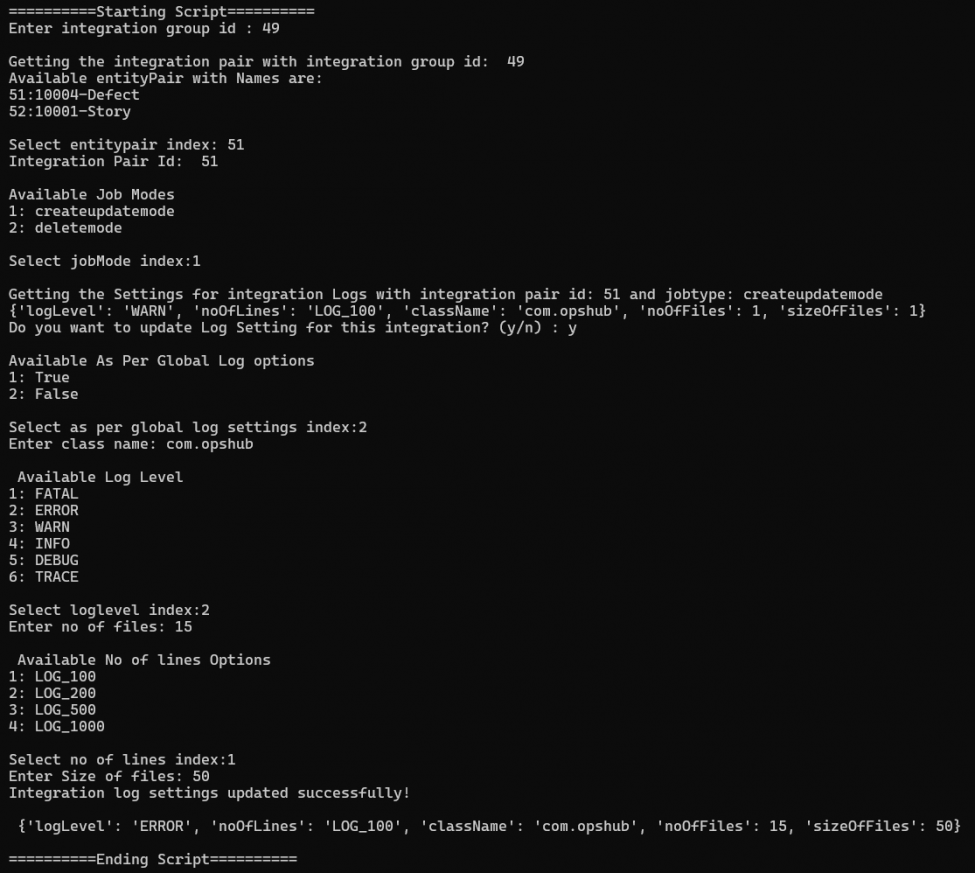
* Select the value for As per Global Log Settings.
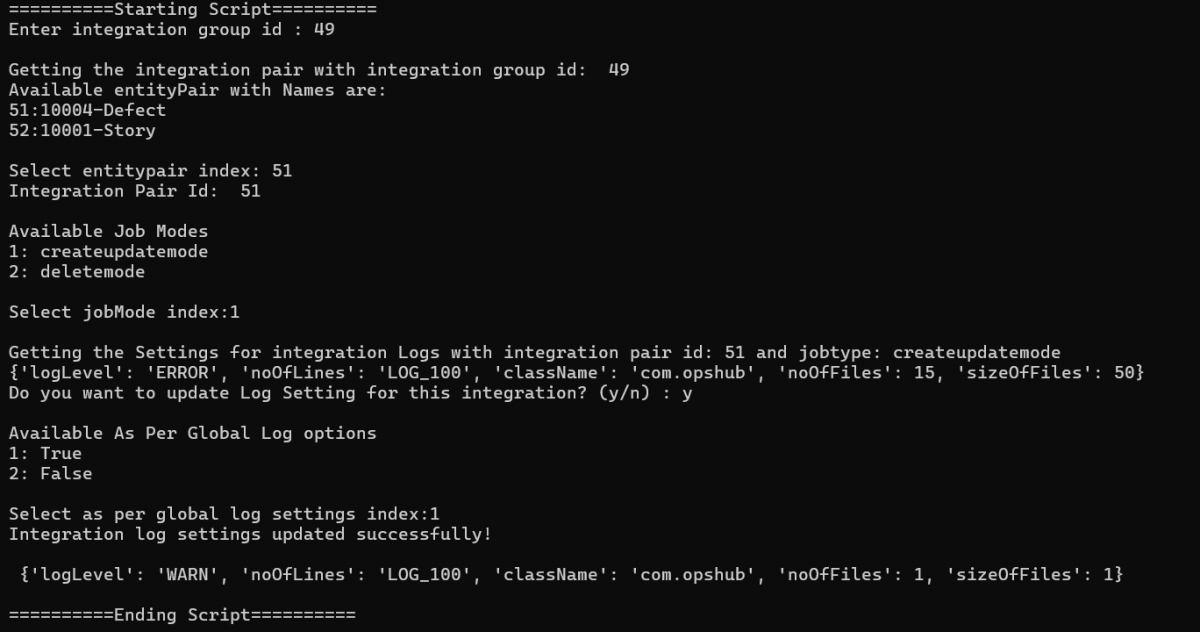
* If As per Global Log Settings is selected as true, Global Log Settings will be followed.
* If As per Global Log Settings is selected as false, enter the Integration Log Setting configuration details.
## Output
Configured Log Settings for the integration pair.
## Script
You can download the script from [here](https://opshub.com/ohftp/AdminAPI/retrieveandconfigurelogsetting.zip).
Here is an example of execution of script showing the input and the output: