# Trigger integration execution on demand
## Description
* Given two systems, if you want to execute/trigger all active integration configured between those systems, then you can use this sample script.
## Input
* Instance details
* Instance details like space.vars.SITENAME instance url, username and password are to be given in **instanceDetails.properties** file available within script.
* End Point details (To be given at the time of script execution)
* End Point 1 Id
* End Point 2 Id
## Output
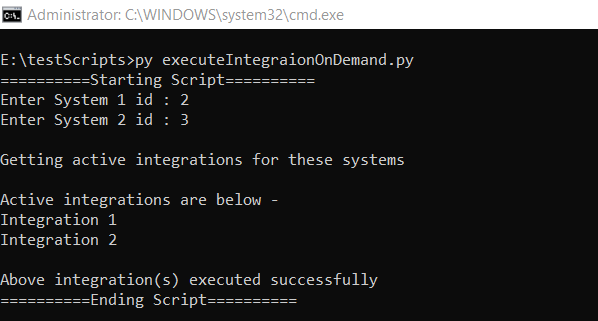
* List of all active integrations between the two systems that were successfully executed.
## Script
You can download the script from [here](https://opshubtrial-my.sharepoint.com/:u:/g/personal/support_opshub_com/EdaLRfGX_KRAoyYTssd-kswBT1VC_QfpRCwwYMkGhAx7rQ).
Below is an example of execution of script which shows the input and output.