> For the complete documentation index, see [llms.txt](https://docs.opshub.com/llms.txt). Markdown versions of documentation pages are available by appending `.md` to page URLs; this page is available as [Markdown](https://docs.opshub.com/integrate/configure-integrations/system-configuration.md).
# System Configuration
Systems here refer to the applications such as Team Foundation Server (TFS) and JIRA that you are using in your Application Lifecycle Management (ALM) ecosystem.
In this section, you will learn how to configure a system onto space.vars.OIM and how to update the system details after configuration, if required.
## Add a System
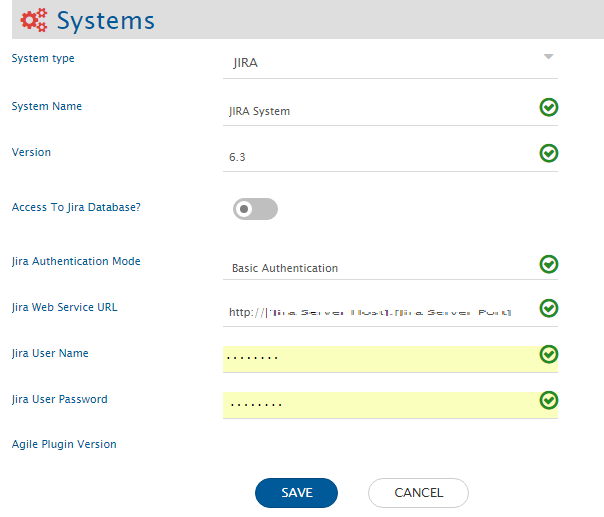
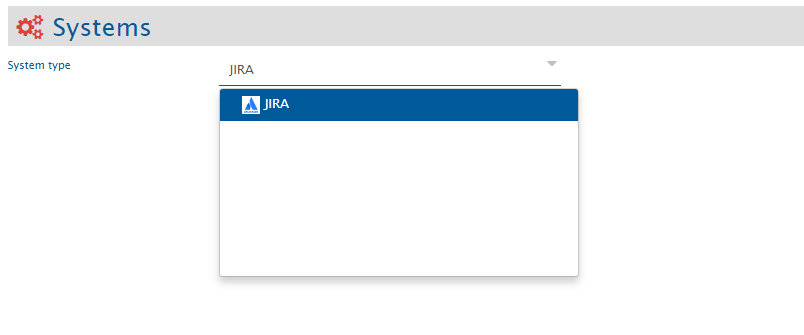
* While creating an integration on the Integration Configuration screen, click the the plus button \[+] adjacent to System 1 and System 2 fields to access the System Configuration screen.

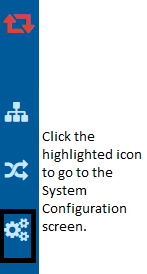
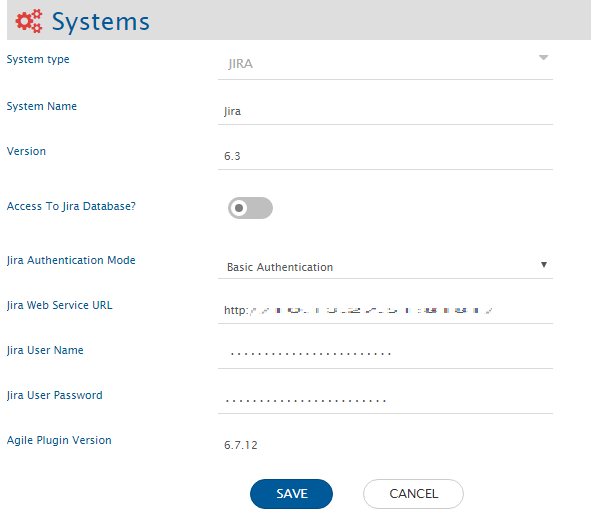
space.vars.OIM is already configured, but you want to update some configuration details, you can click the pencil icon shown adjacent to the system name after you enable the edit mode in integration by clicking the icon show below.
* The form containing details will open. You will then get an option to edit the system details.
* Update the details and click the **Save** button to save the details. You will receive a prompt when the system details are updated.
### Understanding Json Metadata Input
* For some systems like Jira Align, Enterprise Architect, etc. we take json input for metadata.
* Below is the sample JSON input and explanation about what each field means and how to populate the data. Jira Align system is taken as a reference for this explanation:
```json
{
"entities": [
{
"internalName": "capabilities",
"displayName": "Capability",
"readMechanism": "HISTORY",
"hasReadSupport": true,
"hasWriteSupport": true,
"systemSpecific": {
"projectEntityType": "PROGRAM",
"projectFieldInternalName": "primaryProgramId"
},
"fields": {
"system": [
{
"internalName": "title",
"displayName": "Title",
"dataType": "text",
"mandatory": true,
"systemSpecific": {
"fieldNameInRevision": "Name"
}
},
{
"internalName": "state",
"displayName": "State",
"dataType": "lookup",
"lookUpValues": {
"1": "1 - Not Started",
"2": "2 - In Progress",
"3": "3 - Accepted"
},
"mandatory": true,
"systemSpecific": {
"fieldNameInRevision": "State"
}
},
{
"internalName": "programId",
"displayName": "Primary Program",
"dataType": "reference",
"systemSpecific": {
"lookuptype": "programs",
"fieldNameInRevision": "Primary Program"
},
"mandatory": true
},
{
"internalName": "parentId",
"displayName": "Parent Initiative",
"systemSpecific": {
"entityType": "Initiative",
"lookuptype": "epics",
"fieldNameInRevision": "Parent Initiative"
},
"dataType": "reference",
"mandatory": true
},
{
"internalName": "description",
"displayName": "Description",
"dataType": "text",
"mandatory": true,
"systemSpecific": {
"fieldNameInRevision": "Description"
}
},
{
"internalName": "tags",
"displayName": "Tags",
"dataType": "text",
"multiselect": true,
"mandatory": false,
"systemSpecific": {
"fieldNameInRevision": "Tags"
}
},
{
"internalName": "type",
"displayName": "Type",
"dataType": "lookup",
"lookUpValues": {
"1": "Business",
"2": "Enabler",
"3": "Non Functional",
"4": "Architectural",
"5": "Supporting"
},
"mandatory": true,
"systemSpecific": {
"fieldNameInRevision": "Type"
}
}
],
"custom": []
},
"relationship": {
"entities": [
{
"internalName": "epics",
"displayName": "Initiative",
"supportedAsSource": true,
"supportedAsTarget": true
},
{
"internalName": "Programs",
"displayName": "Program",
"supportedAsSource": true,
"supportedAsTarget": true
},
{
"internalName": "Features",
"displayName": "Epic",
"supportedAsSource": true,
"supportedAsTarget": true
},
{
"internalName": "Releases",
"displayName": "Program Increment",
"supportedAsSource": true,
"supportedAsTarget": true
}
],
"linkTypes": [
{
"linkType": "Parent Initiative",
"linkTypeInternalName": "parent",
"linkTypeDirection": "FORWARD",
"linkCardinality": "OneToOne",
"reverseLinkType": null,
"mandatory": true,
"supportedAsSource": true,
"supportedAsTarget": true
}
]
}
},
{
"internalName": "themes",
"displayName": "Theme",
"readMechanism": "NON_TIMESTAMP",
"hasReadSupport": true,
"hasWriteSupport": true,
"entityScope": "Global",
"systemSpecific": {
"OH_LastUpdatedField": "description",
"projectEntityType": "ENTERPRISE"
},
"fields": {
"system": [
{
"internalName": "title",
"displayName": "Title",
"dataType": "text",
"mandatory": true
},
{
"internalName": "isActive",
"displayName": "Active",
"dataType": "lookup",
"lookUpValues": {
"1": "Yes",
"0": "No"
},
"mandatory": true
},
{
"internalName": "state",
"displayName": "State",
"dataType": "lookup",
"lookUpValues": {
"1": "1 - Not Started",
"2": "2 - In Progress",
"3": "3 - Done"
},
"mandatory": true
},
{
"internalName": "programIds",
"displayName": "Programs",
"multiselect": true,
"dataType": "lookup",
"systemSpecific": {
"lookuptype": "programs",
"entityType": "Program"
},
"mandatory": false
},
{
"internalName": "releaseIds",
"displayName": "Program Increments",
"multiselect": true,
"dataType": "lookup",
"systemSpecific": {
"lookuptype": "releases",
"entityType": "Program Increment"
},
"mandatory": false
}
],
"custom": []
},
"relationship": {
"entities": [
{
"internalName": "releases",
"displayName": "Program Increment",
"supportedAsSource": true,
"supportedAsTarget": true
},
{
"internalName": "programs",
"displayName": "Program",
"supportedAsSource": true,
"supportedAsTarget": true
}
],
"linkTypes": [
{
"linkType": "Program Increments",
"linkTypeInternalName": "program",
"linkTypeDirection": "FORWARD",
"linkCardinality": "OneToOne",
"reverseLinkType": null,
"mandatory": false,
"supportedAsSource": true,
"supportedAsTarget": true
},
{
"linkType": "Programs",
"linkTypeInternalName": "program",
"linkTypeDirection": "BACKWARD",
"linkCardinality": "OneToOne",
"reverseLinkType": null,
"mandatory": false,
"supportedAsSource": true,
"supportedAsTarget": true
}
]
}
}
],
"projects": [
{
"internalName": "4",
"displayName": "Legacy Apps",
"entities": []
},
{
"internalName": "8",
"displayName": "Digital Services",
"entities": [
{
"internalName": "defects",
"displayName": "Defect Override",
"hasReadSupport": true
}
]
}
]
}
```
---
# Agent Instructions
This documentation is published with GitBook. GitBook is the documentation platform designed so that both humans and AI agents can read, navigate, and reason over technical content effectively. Learn more at gitbook.com.
## Querying This Documentation
If you need additional information that is not directly available in this page, you can query the documentation dynamically by asking a question.
Perform an HTTP GET request on the current page URL with the `ask` query parameter, and the optional `goal` query parameter:
```
GET https://docs.opshub.com/integrate/configure-integrations/system-configuration.md?ask=&goal=
```
`ask` is the immediate question: it should be specific, self-contained, and written in natural language.
`goal` is optional and describes the broader end goal you are ultimately trying to accomplish on behalf of the user. GitBook uses it to tailor the answer towards what is most useful for that goal.
The response will contain a direct answer to the question and relevant excerpts and sources from the documentation.
Use this mechanism when the answer is not explicitly present in the current page, you need clarification or additional context, or you want to retrieve related documentation sections.